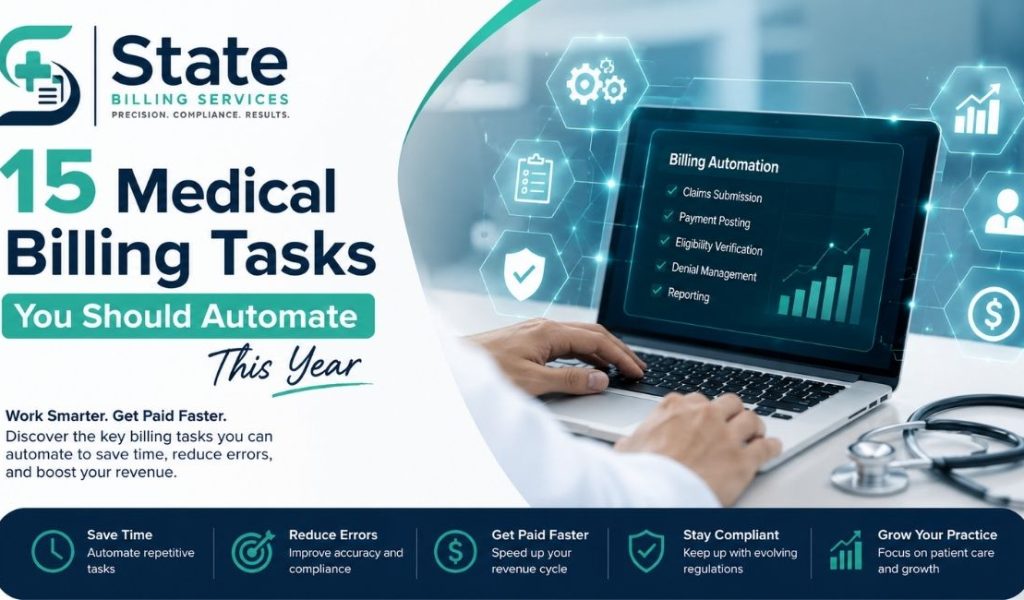
Medical billing teams can spend hours moving data between systems, checking insurance details, correcting claims, posting payments, and tracking unpaid balances. Much of this work is repetitive. It also creates opportunities for errors.
In 2026, medical billing automation is becoming more practical. Artificial intelligence, machine learning, automation rules, EHR integrations, and RCM platforms can handle many routine billing tasks with less manual work.
The goal is not to remove people from the billing process. The goal is to give billing teams better tools. Staff can spend less time on repetitive work and more time on complex claims, payer issues, patient questions, and revenue recovery.
CMS is also pushing healthcare toward better data exchange and electronic workflows. Several provisions of its interoperability and prior authorization rule began taking effect in 2026.
This makes 2026 a useful time to review your medical billing workflow and identify tasks that should no longer depend entirely on manual entry.
What Is Medical Billing Automation?
Medical billing automation uses software, rules, artificial intelligence, and system integrations to complete repetitive billing activities.
The technology can work across an EHR, practice management system, clearinghouse, payer portal, and RCM platform.
A simple example is insurance eligibility verification.
A staff member can manually open a payer website, enter patient information, check coverage, and document the result.
An automated workflow can pull patient data from the EHR, check eligibility electronically, return the response, and update the billing system.
The staff member then reviews exceptions instead of processing every patient manually.
That difference matters when a practice handles hundreds or thousands of encounters each month.
Automation can support:
- Data entry
- Medical coding
- Claim creation
- Claim scrubbing
- Denial management
- Payment posting
- Accounts receivable follow-up
- Revenue forecasting
The best results usually come from combining automation with human review. Billing decisions that require clinical judgment, payer interpretation, or unusual documentation should not be left to an automated system without appropriate controls.
Why Medical Billing Automation Matters in 2026
Medical billing has become more complex.
Payers use different policies. Coding rules change. Prior authorization requirements vary. Patient responsibility is increasing in many settings. Claims can also move through several systems before payment is received.
At the same time, billing teams need faster workflows.
CMS continues to promote interoperability and electronic data exchange. Its interoperability framework includes EHRs, payers, providers, and technologies such as conversational AI.
Prior authorization is another major source of administrative work. In a 2026 AMA survey, physicians reported completing an average of 40 prior authorizations per week. Ninety-five percent said prior authorization delays access to necessary care.
Automation cannot solve every payer problem. It can reduce the amount of manual work surrounding those problems.
For a billing department, that can mean faster claim submission, better follow-up, fewer avoidable errors, and clearer revenue data.
Top 15 Medical Billing Tasks You Should Automate in 2026
1. Patient Insurance Eligibility Verification
Insurance verification is one of the strongest candidates for automation.
Billing staff often need to confirm:
- Active coverage
- Member status
- Deductible
- Copayment
- Coinsurance
- Benefit limits
- Payer information
- Patient responsibility
An automated eligibility workflow can check coverage before or around the time of the appointment.
The system can then update the EHR or practice management system.
This helps staff identify inactive coverage before a claim is submitted.
Why automate eligibility verification?
Manual verification takes time. It can also create inconsistent documentation.
Suppose a practice sees 80 patients in a day. A staff member cannot always check every detail with the same level of attention.
Automation can process routine checks consistently.
It can also flag exceptions.
For example, the system may identify a patient’s coverage as inactive. A staff member can then contact the patient before the visit or resolve the issue before billing.
This can reduce preventable claim problems and improve patient financial communication.
2. Patient Demographic Data Entry
Incorrect patient information can cause billing problems.
Common issues include:
- Misspelled names
- Incorrect dates of birth
- Wrong insurance IDs
- Missing addresses
- Incorrect payer information
- Duplicate patient records
Automation can pull demographic information from registration systems and synchronize it with billing software.
Optical character recognition can also help convert information from documents into structured data.
Artificial intelligence can identify possible duplicates or unusual entries.
Human review is still important when the system detects conflicting information.
The objective is simple. Staff should review exceptions instead of manually entering every field.
3. Charge Capture
Charge capture connects the services provided with the charges entered into the billing system.
Missing charges can create revenue leakage.
Automation can compare clinical documentation, orders, procedures, and other encounter information with the charges recorded for billing.
For example, a system may identify an encounter where a documented service has no corresponding charge.
The billing team can then review the case.
This is especially useful in high-volume specialties.
A cardiology, orthopedic, urgent care, or radiology practice may have many procedures and services moving through the system each day.
Automated charge capture can help identify gaps before the claim reaches the payer.
4. Medical Coding Assistance
Medical coding is another area where AI can support billing teams.
AI-based coding tools can review clinical documentation and suggest relevant CPT, HCPCS, and ICD-10 codes.
The technology can identify terms, procedures, diagnoses, and other documentation elements.
It can then compare those details with coding rules.
This does not mean every code should be accepted automatically.
Coding requires clinical and documentation judgment.
A better workflow is:
Documentation → AI code suggestion → Coder review → Final code → Claim
This approach can reduce repetitive searching while keeping a qualified coder involved.
Automated coding can be especially useful when a practice has large volumes of similar encounters.
It can also help identify documentation gaps before claim submission.
For more background on the distinction between billing and coding, see this guide on medical billing vs. medical coding.
5. Claim Creation
Creating a clean claim involves gathering information from several parts of the patient record.
The claim may include:
- Patient information
- Provider information
- Diagnosis codes
- Procedure codes
- Modifiers
- Units
- Place of service
- Insurance information
- Authorization details
Automation can pull this information from the EHR and billing system.
This reduces duplicate data entry.
It also helps standardize the claim creation process.
A well-designed automated workflow can identify missing fields before the claim is sent to a clearinghouse or payer.
That creates an important benefit. Errors can be addressed earlier in the revenue cycle.
6. Automated Claim Scrubbing
Claim scrubbing checks claims for potential errors before submission.
A claim scrubber may check for:
- Missing information
- Invalid codes
- Modifier issues
- Payer-specific requirements
- Duplicate claims
- Demographic mismatches
- Coverage problems
- Authorization issues
Modern systems can combine rule-based claim edits with AI-based pattern recognition.
For example, a system may identify that a particular payer frequently rejects a certain combination of codes.
It can flag similar claims before submission.
The billing team can then review the claim.
This is one of the most practical forms of medical billing automation because it focuses on preventing avoidable problems.
7. Claim Submission and Status Tracking
Sending claims manually is inefficient when electronic submission is available.
Automation can route claims through a clearinghouse and track their status.
The system can identify whether a claim is:
- Accepted
- Rejected
- Pending
- Denied
- Paid
- Partially paid
It can then update the billing system.
This creates a more visible medical billing workflow.
Instead of asking staff to check multiple payer portals, the system can bring claim activity into one dashboard where possible.
That makes follow-up easier.
It also helps teams prioritize claims that require attention.
8. Prior Authorization Workflow
Prior authorization can consume a large amount of administrative time.
The process may require checking payer requirements, collecting clinical information, submitting documentation, tracking responses, and responding to additional requests.
Automation can assist with each stage.
For example, a system can:
- Identify whether authorization may be required.
- Collect relevant patient and clinical information.
- Create an authorization request.
- Route it to the correct payer workflow.
- Track the status.
- Alert staff when action is needed.
CMS has been moving toward electronic prior authorization and interoperability. The agency’s rules include requirements and implementation timelines related to prior authorization APIs and electronic processes.
Automation should still include human oversight.
A system should not submit questionable clinical information simply because it can.
9. Denial Identification and Categorization
Denials are not all the same.
A denial may result from:
- Eligibility problems
- Coding errors
- Missing authorization
- Medical necessity issues
- Duplicate claims
- Timely filing
- Missing documentation
- Incorrect payer information
Automation can categorize denials based on reason codes, payer responses, claim data, and historical patterns.
This makes denial management more organized.
AI can also identify patterns that are difficult to spot manually.
For example, a practice may notice that one payer is denying a specific procedure more often than others.
The system can flag the trend.
The billing team can then investigate the underlying cause.
This is where denial management automation becomes more valuable than simply automating data entry.
The system is helping staff identify why revenue is being lost.
For practices that need additional support, denial management SC services can complement automated workflows with human review and follow-up.
For more detail on common denial causes, see medical claim denial reasons.
10. Automated Denial Follow-Up
Identifying a denial is only the first step.
Someone must take action.
Automation can assign denials to the appropriate work queue based on:
- Denial reason
- Payer
- Dollar value
- Filing deadline
- Patient
- Provider
- Specialty
The system can also generate follow-up reminders.
High-value or time-sensitive claims can receive higher priority.
For example, a $15,000 claim approaching its appeal deadline should not sit behind a low-value claim with plenty of filing time.
Automation can help organize that workload.
Staff can then focus on the cases that require judgment or payer interaction.
11. Payment Posting
Payment posting is highly repetitive.
A billing team may need to process electronic remittance advice, record payments, apply adjustments, and identify patient responsibility.
Automated payment posting in SC can read electronic remittance information and match payments to claims.
It can also identify differences between expected and actual reimbursement.
For example, suppose a payer pays $800 when the contracted amount was expected to be $1,000.
The system can flag the variance.
That gives the billing team an opportunity to investigate.
Automation is particularly useful for practices that receive large volumes of electronic payments.
It reduces manual entry and helps keep account balances current.
12. Patient Statement Generation
Patient statements need to be accurate and timely.
Automation can generate statements after insurance processing is complete.
The system can calculate the remaining patient balance and apply the appropriate billing rules.
It can also trigger statements based on defined workflows.
For example, a practice can configure a process for:
Insurance payment → Patient balance created → Statement generated → Reminder → Follow-up
Automation can reduce delays between payer payment and patient billing.
It can also help standardize the patient financial experience.
The system should still allow staff to review unusual balances and disputed accounts.
13. Accounts Receivable Prioritization
Not every unpaid account deserves the same amount of attention.
A $20 balance and a $20,000 balance should not necessarily receive the same workflow.
AI and RCM platforms can score accounts based on factors such as:
- Balance size
- Age
- Payer
- Claim status
- Filing deadline
- Probability of collection
- Previous payment behavior
The result is a more focused accounts receivable workflow.
Staff can work on accounts with the greatest financial or operational impact first.
This can support faster insurance reimbursements and better use of billing staff time.
14. Revenue Forecasting
Revenue forecasting is often treated as a finance function.
It is also an important RCM function.
Automated forecasting tools can analyze historical collections, outstanding claims, payer behavior, denial rates, seasonal patterns, and accounts receivable.
AI can use these patterns to estimate future cash flow.
For example, a practice may want to estimate expected collections for the next 30, 60, or 90 days.
The system can analyze current accounts receivable and historical payment patterns.
This does not guarantee an exact forecast.
Payer behavior can change.
Contract changes can affect reimbursement.
Large denials can also alter expected cash flow.
Still, automated forecasting can give management a better starting point for planning.
15. Medical Billing Reports and Performance Dashboards
The final task is reporting.
A billing team should not have to build every report manually.
Modern RCM platforms can automate dashboards for:
- Clean claim rate
- Denial rate
- Days in accounts receivable
- Collection rate
- Net collection rate
- Payment turnaround
- Aging accounts receivable
- Payer performance
- Charge capture
- Reimbursement trends
These reports turn billing data into operational information.
For example, a rising denial rate may indicate a coding or authorization problem.
A growing 90-plus-day AR balance may indicate weak follow-up.
A falling collection rate may require payer-level analysis.
Automation makes these trends easier to monitor.
Which Medical Billing Tasks Should You Automate First?
Not every task needs automation at the same time.
Start with workflows that have three characteristics:
- High volume.
- Repetitive steps.
- Clear rules or predictable outcomes.
Eligibility verification is a good example.
Payment posting is another.
Claim scrubbing is also a strong candidate.
More complex activities, such as appeals and clinical coding decisions, usually need greater human oversight.
A useful approach is to rank each billing task by volume, labor time, error risk, and revenue impact.
Then automate the workflows with the strongest combination of these factors.
AI vs. Traditional Medical Billing Automation
Medical billing automation does not always require AI.
Traditional automation uses predefined rules.
For example:
“If insurance is inactive, create a verification task.”
That is rule-based automation.
AI works differently.
It can identify patterns in large amounts of data and produce predictions or recommendations.
For example:
“A claim with these characteristics has a higher probability of denial based on historical patterns.”
Both approaches have value.
Rule-based automation
Best for predictable workflows.
Examples include:
- Eligibility checks
- Statement generation
- Payment posting
- Claim routing
- Reminder creation
AI-based automation
Best for pattern recognition and decision support.
Examples include:
- Coding suggestions
- Denial prediction
- Documentation analysis
- AR prioritization
- Revenue forecasting
The strongest RCM environments often combine both.
How EHRs Fit Into Medical Billing Automation
The EHR is a major source of clinical and patient information.
An automated billing workflow needs access to accurate data from the EHR.
Depending on the system, that may include:
- Patient demographics
- Clinical documentation
- Diagnoses
- Procedures
- Orders
- Provider information
- Insurance information
- Encounter details
Interoperability is important because billing automation becomes less useful when data remains trapped in separate systems.
CMS has highlighted secure health information exchange and interoperability as key parts of its healthcare technology efforts.
A practice should therefore evaluate how well its EHR, practice management software, clearinghouse, and RCM platform exchange data.
How RCM Platforms Support Automation
A revenue cycle management platform can connect several parts of the billing process.
Instead of using separate tools for every activity, an RCM platform can provide a shared workflow.
A typical automated revenue cycle may look like this:
Patient registration → Eligibility → Documentation → Coding → Claim creation → Claim scrubbing → Submission → Adjudication → Payment posting → Denial management → AR follow-up → Reporting
The more connected these steps are, the easier it becomes to automate routine work.
This can also improve visibility.
Management can see where claims are getting stuck.
Billing staff can see which accounts require action.
Providers can receive information about documentation or coding issues.
Medical Billing Automation and HIPAA
Automation does not remove compliance responsibilities.
Healthcare organizations still need to protect protected health information.
The HIPAA Privacy Rule establishes national standards for protecting medical records and individually identifiable health information. The Security Rule also requires safeguards for electronic protected health information.
That matters when using AI tools.
A practice should know:
- What patient data the system receives.
- Where the data is stored.
- Who can access it.
- How information is transmitted.
- How vendors protect the data.
- What agreements are required with vendors.
- How access is monitored.
Risk analysis is also important. HHS guidance identifies risk analysis as a foundational part of implementing appropriate safeguards for electronic protected health information.
Do not assume that an AI tool is appropriate for PHI simply because it is marketed for healthcare.
Review the technology, security controls, contracts, integrations, and compliance requirements before deployment.
What Should Not Be Fully Automated?
Automation should have boundaries.
Some billing decisions require human judgment.
Examples include complex coding questions, unusual payer disputes, medical necessity issues, complicated appeals, and cases where documentation is unclear.
AI can support these processes.
It should not automatically make every final decision.
A good workflow uses a human-in-the-loop model.
The software handles routine work.
The billing professional handles exceptions.
This model is particularly important when errors could affect reimbursement, compliance, or patient care.
A Practical Example of an Automated Billing Workflow
Consider a specialty practice with a high volume of insurance claims.
Before automation, staff may manually verify insurance, enter charges, check claims, submit them, review payer responses, post payments, and follow up on unpaid balances.
After automation, the workflow could look different.
The EHR sends encounter information to the billing system.
The eligibility tool verifies coverage.
The coding system suggests codes.
A certified coder reviews the suggestions.
The claim scrubber checks the claim.
The clearinghouse submits it.
The RCM platform tracks the status.
If the claim is denied, the system categorizes the denial.
If the denial is routine, it goes into an established work queue.
If the claim is high value or complex, it is escalated to a billing specialist.
When payment arrives, the system posts the payment and updates the account.
Management sees the results on a dashboard.
The staff has not disappeared.
Their work has changed.
They spend more time solving problems and less time moving information between systems.
How to Measure the Results
Automation should be measured with clear billing KPIs.
Do not measure success only by how many tasks the software performs.
Measure business outcomes.
Useful metrics include:
| Metric | What It Shows |
| Clean claim rate | Quality of claims before submission |
| Denial rate | Frequency of payer denials |
| Days in AR | How quickly receivables move |
| Net collection rate | Effectiveness of collections |
| Payment posting time | Speed of updating accounts |
| First-pass resolution | Claims resolved without repeated work |
| AR over 90 days | Older unpaid balances |
| Cost per claim | Billing process efficiency |
These metrics should be reviewed before and after automation.
That creates a practical baseline.
For additional guidance, see this resource on Healthcare revenue cycle KPIs.
Common Mistakes When Automating Medical Billing
Automation can create new problems if the workflow is poorly designed.
Automating a broken process
If the current workflow has unnecessary steps, automating every step will simply make the inefficient process faster.
Review the workflow first.
Ignoring data quality
AI depends on the information it receives.
Incorrect demographic, coding, or payer data can produce poor results.
Removing human review too early
Not every claim should be processed without oversight.
High-risk exceptions need review.
Measuring activity instead of results
A system may process thousands of claims while still producing poor financial outcomes.
Measure denial rates, collections, AR, and accuracy.
Choosing tools without checking integration
An impressive tool is not useful if it cannot exchange data reliably with the EHR, practice management system, clearinghouse, or RCM platform.
How to Start Medical Billing Automation in 2026
A practical implementation does not need to begin with the entire revenue cycle.
Start small.
Step 1: Map the current workflow
Document how information moves from registration to payment.
Identify manual handoffs.
Step 2: Measure the baseline
Record current performance.
Look at denial rates, AR aging, payment posting time, clean claim rates, and staff workload.
Step 3: Select high-volume tasks
Start with repetitive processes.
Eligibility verification, claim scrubbing, payment posting, and reporting are common starting points.
Step 4: Test the integration
Make sure the automation works with the EHR, billing system, clearinghouse, and payer workflows.
Step 5: Create exception rules
Decide when a claim or account needs human review.
Step 6: Monitor results
Review performance regularly.
If automation reduces manual work but increases denials, the workflow needs adjustment.
The Business Case for Medical Billing Automation
The financial value of automation is not limited to labor savings.
Better automation can affect several parts of the revenue cycle.
It may reduce avoidable claim errors.
It may speed up claim processing.
It may improve denial follow-up.
It may reduce delays in payment posting.
It may give management better revenue forecasts.
It may also reduce healthcare revenue leakage by identifying missing charges, unpaid claims, and unresolved account balances.
The strongest business case comes from measuring the entire workflow.
For example, saving two hours of staff time per day is useful.
Recovering significant revenue from preventable denials may be even more valuable.
That is why automation should be evaluated as an RCM strategy, not simply as an administrative technology purchase.
Is Medical Billing Automation Worth It for Smaller Practices?
Yes, but the approach may differ.
A small practice does not necessarily need a large enterprise AI system.
It may benefit more from a few targeted automations.
For example, a smaller practice could start with:
- Eligibility verification
- Claim scrubbing
- Electronic claim status
- Payment posting
- AR work queues
The goal should be to automate the tasks that consume the most staff time or create the most preventable errors.
A smaller practice can then expand automation after the initial workflows prove reliable.
The Future of Medical Billing Automation
Medical billing automation will likely become more connected to the broader healthcare data environment.
EHRs, payer systems, clearinghouses, RCM platforms, APIs, and AI tools are increasingly working together.
CMS is continuing to develop interoperability initiatives and electronic processes. Its 2026 proposed rule also continues work around interoperability standards and prior authorization for drugs.
AI will likely play a larger role in prediction and decision support.
That includes predicting claim denials, identifying documentation gaps, prioritizing AR, and forecasting collections.
But automation will not eliminate the need for experienced billing professionals.
Healthcare billing is too complex for that approach.
Payer policies change.
Clinical documentation varies.
Exceptions happen.
Human judgment remains important.
The more realistic future is a hybrid revenue cycle.
Technology handles repetitive processes.
People handle decisions, exceptions, relationships, and complex financial problems.
Final Takeaway
Medical billing automation is no longer limited to simple data entry.
In 2026, practices can automate significant parts of eligibility verification, coding assistance, charge capture, claims, prior authorization workflows, denial management, payment posting, AR prioritization, forecasting, and reporting.
The best place to start is not with the most advanced AI tool.
Start with the biggest bottleneck.
Measure the current process.
Automate repetitive work.
Keep human review where judgment matters.
Then measure the results.
A connected revenue cycle can help billing teams work faster without sacrificing oversight. The goal is a cleaner workflow, fewer preventable errors, stronger revenue visibility, and faster movement from patient encounter to payment.
If your practice needs help combining automation with experienced billing operations,States Billing Services provides medical billing and revenue cycle support across key parts of the healthcare revenue cycle. A practical starting point is its healthcare rcm services in South Carolina, especially when manual billing processes are creating delays, denials, or growing accounts receivable.